So you’ve been hearing a lot about Snapchat ads lately and wondering if they’re actually worth it for your business. Snapchat may not receive the same attention as Meta or TikTok, but that might be exactly why it’s worth paying attention to right now.
This article will help you know everything you want to learn about how to start advertising on Snapchat, whether you’re a small business owner, an e-commerce brand, or just someone who’s never touched a Snapchat Ads Manager before. By the end, you’ll have a clear picture of how the Snapchat platform works, what it costs, and how BrandLoom can help you out.
What is Snapchat Advertising and Why Should You Care?
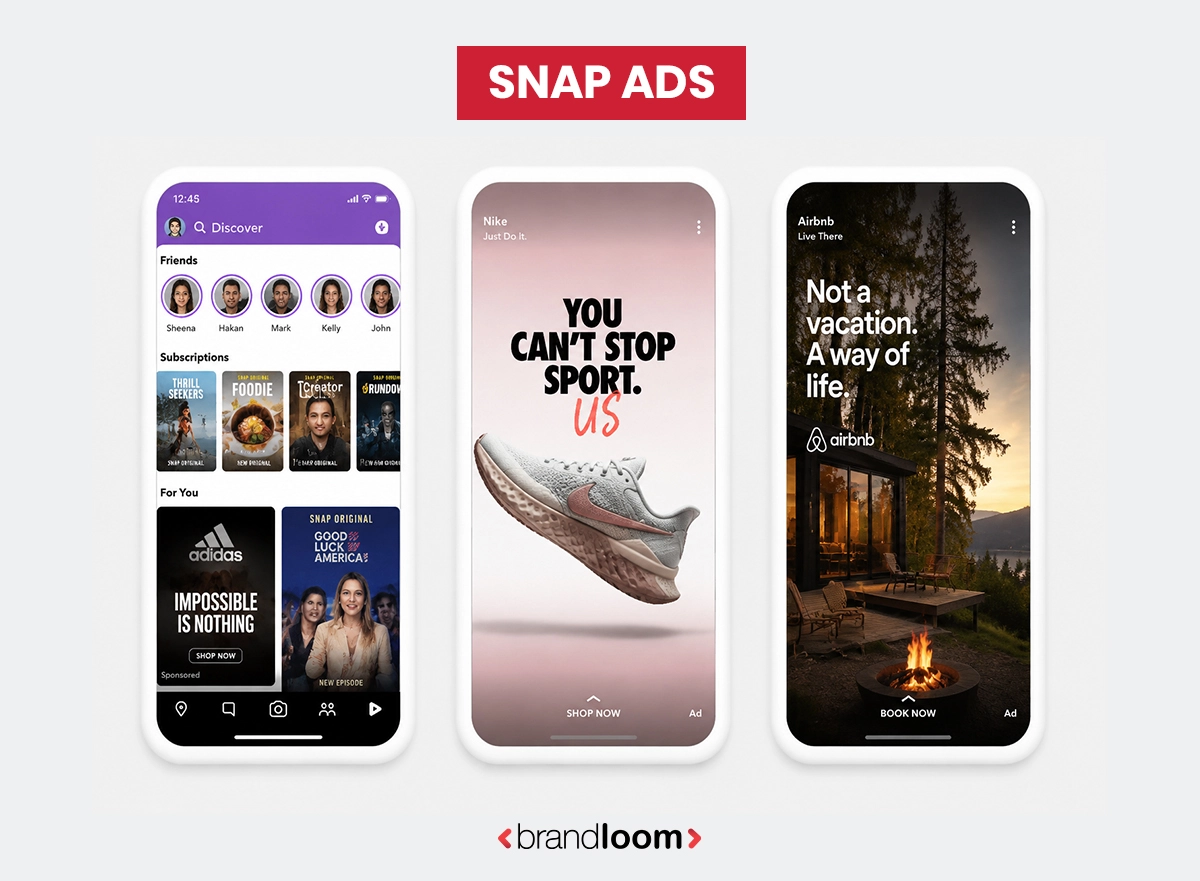
Snapchat advertising is a paid promotion system that lets businesses reach Snapchat’s audience through full-screen vertical ads. These ads show up in users’ Stories, between content on Discover, or within Snapchat’s premium publisher content. You manage everything through Snapchat Ads Manager at ads.snapchat.com.
What makes Snapchat unique is its target demographic. While most other social networks reach a wide demographic, Snapchat has proven more popular among Gen Z and early millennials. The thing about this particular demographic is that they actively use Snapchat and respond positively to native advertising.
Unlike Facebook or Instagram, where ads can feel like interruptions, Snapchat’s full-screen format makes the ad the entire experience for a few seconds. That’s either really good or really bad, depending on how strong your creativity is. More on that shortly.
Snapchat Audience Statistics & Demographics
Before investing in Snapchat Ads, it’s worth understanding who actually uses the platform.
Snapchat is particularly popular among Gen Z and younger Millennials, making it a valuable advertising channel for brands targeting younger, mobile-first audiences. Users typically visit the app multiple times a day to communicate with friends, watch Stories, discover content, and explore new products.
Businesses that often perform well on Snapchat include:
- Fashion and apparel brands
- Beauty and skincare companies
- Food and beverage businesses
- E-commerce and D2C brands
- Mobile apps and gaming companies
- Entertainment and event businesses
While Snapchat may not be the best fit for every industry, it offers an excellent opportunity for brands looking to engage highly visual and digitally active consumers.
Snapchat Ad Formats You Need to Know About
Before diving into setup, it helps to understand what ad types are available. The platform has grown quite a bit, and there are several formats worth knowing.
- Snap Ads: These are your standard single-image or video ads. They appear between Stories and in the Discover feed. The video can be up to 3 minutes long, but honestly, shorter videos perform better. Think 6 to 15 seconds. Vertical format is non-negotiable here, since the entire experience is in portrait mode.
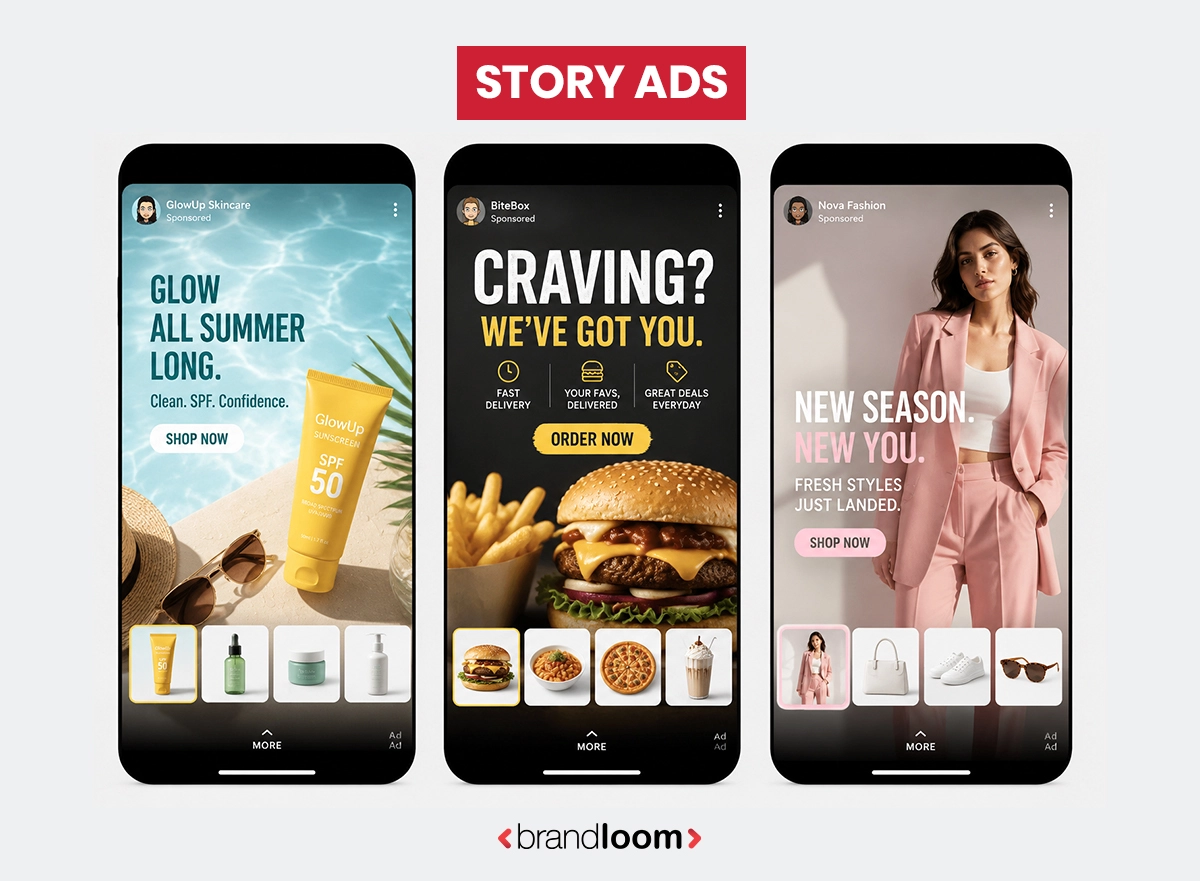
- Story Ads: These appear in the Discover section as branded tiles that users tap to open. Once inside, they see a sequence of up to 20 Snap Ads. This format works well for telling a brand story or walking someone through a product lineup.
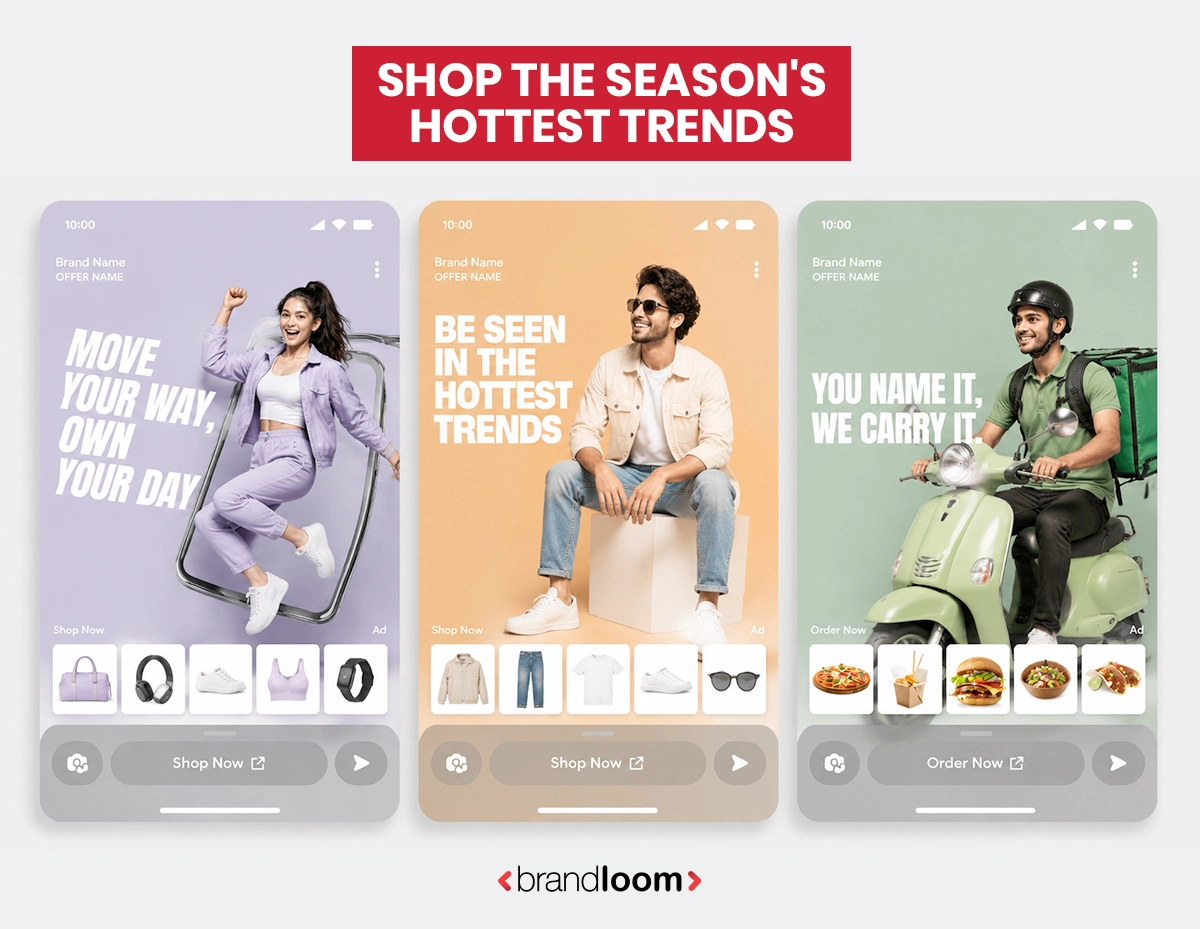
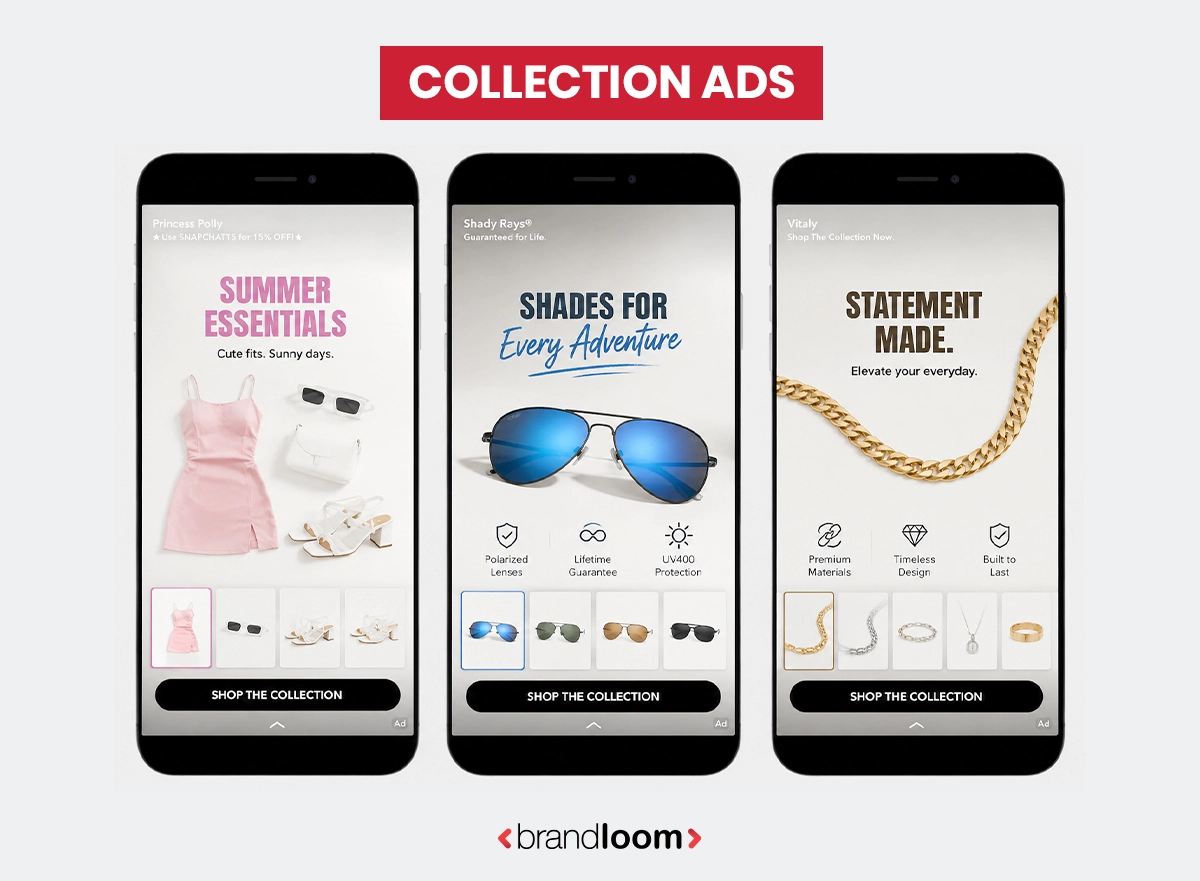
- Collection Ads: This is probably the most useful format for eCommerce brands. A Collection Ad shows a video or image with four product thumbnails underneath. Users can tap any thumbnail and go straight to that product page. Clean, direct, and built for purchase intent.
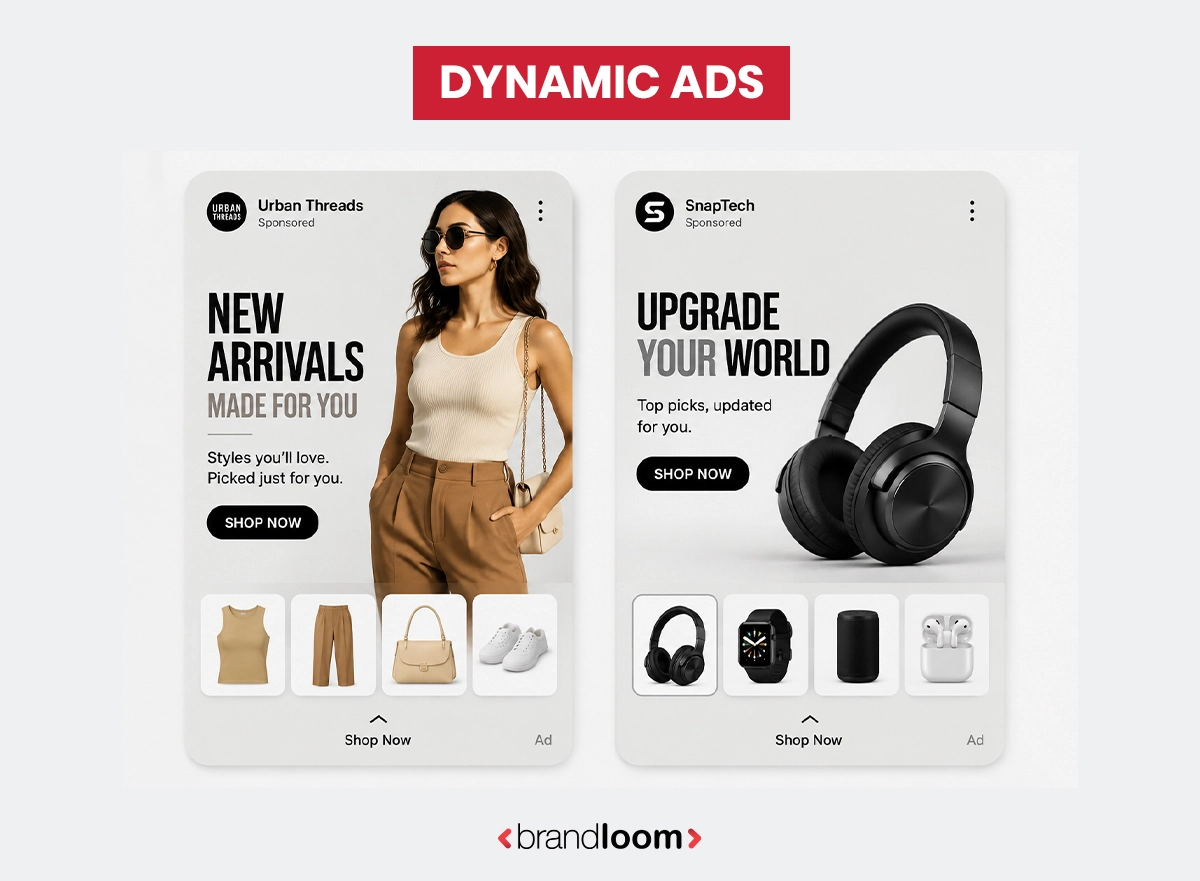
- Dynamic Ads: If you have a product catalog, Dynamic Ads can automatically pull from it to show personalized ads based on what users have browsed or interacted with. This is solid for retargeting and requires the Snapchat Pixel to be properly set up.
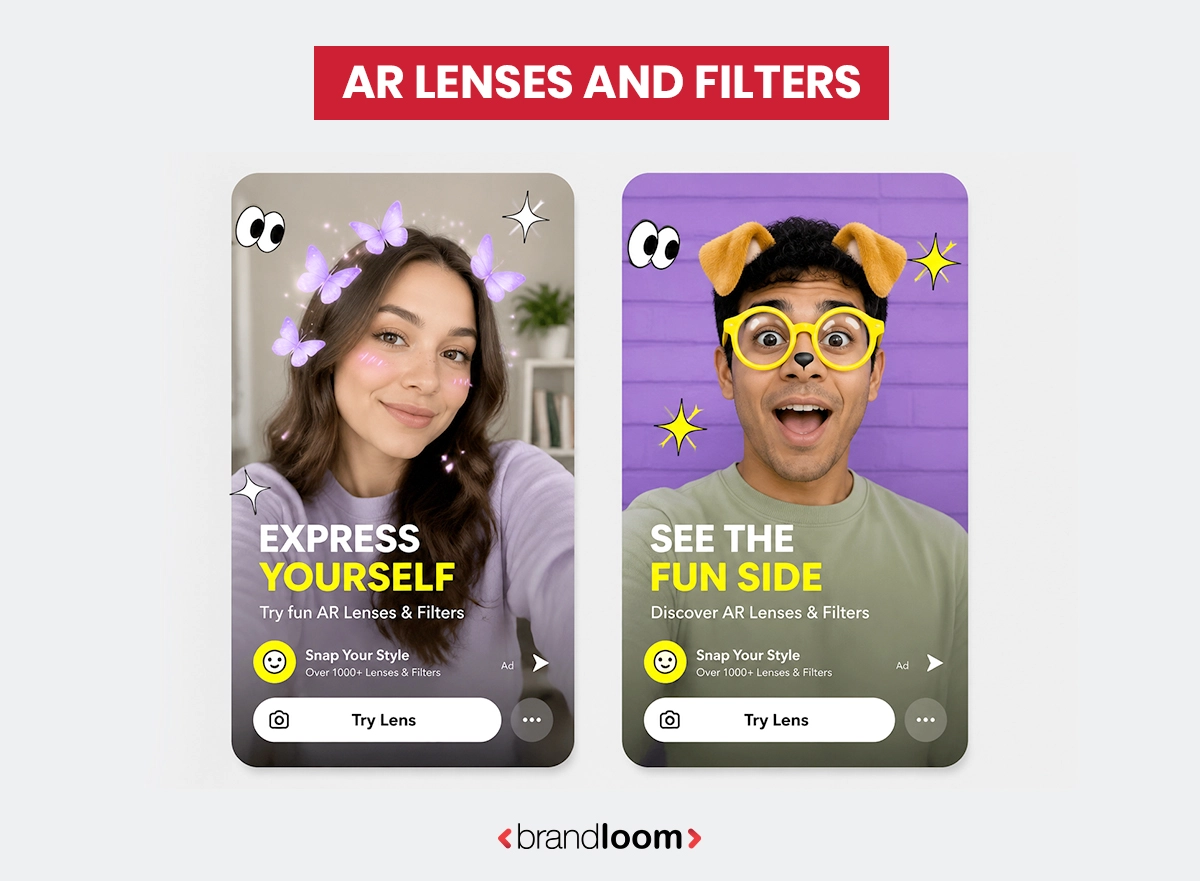
- AR Lenses and Filters: These are more creative and typically higher budget executions. AR Lenses allow users to interact with your brand through augmented reality and are especially effective for product launches and campaigns where interaction and social sharing are crucial. Not necessarily needed by most beginners.
Step by Step: How to Start Advertising on Snapchat
Alright, here’s the practical part. Setting up your first Snapchat ad campaign is more straightforward than most people expect.
Step 1: Create a Snapchat Business Account.
Head to forbusiness.snapchat.com and create your Business Account. You’ll need a regular Snapchat account first, then you can set up the business profile. Fill in your business name, website, and billing info. This is also where you’ll connect your Snapchat Pixel later.
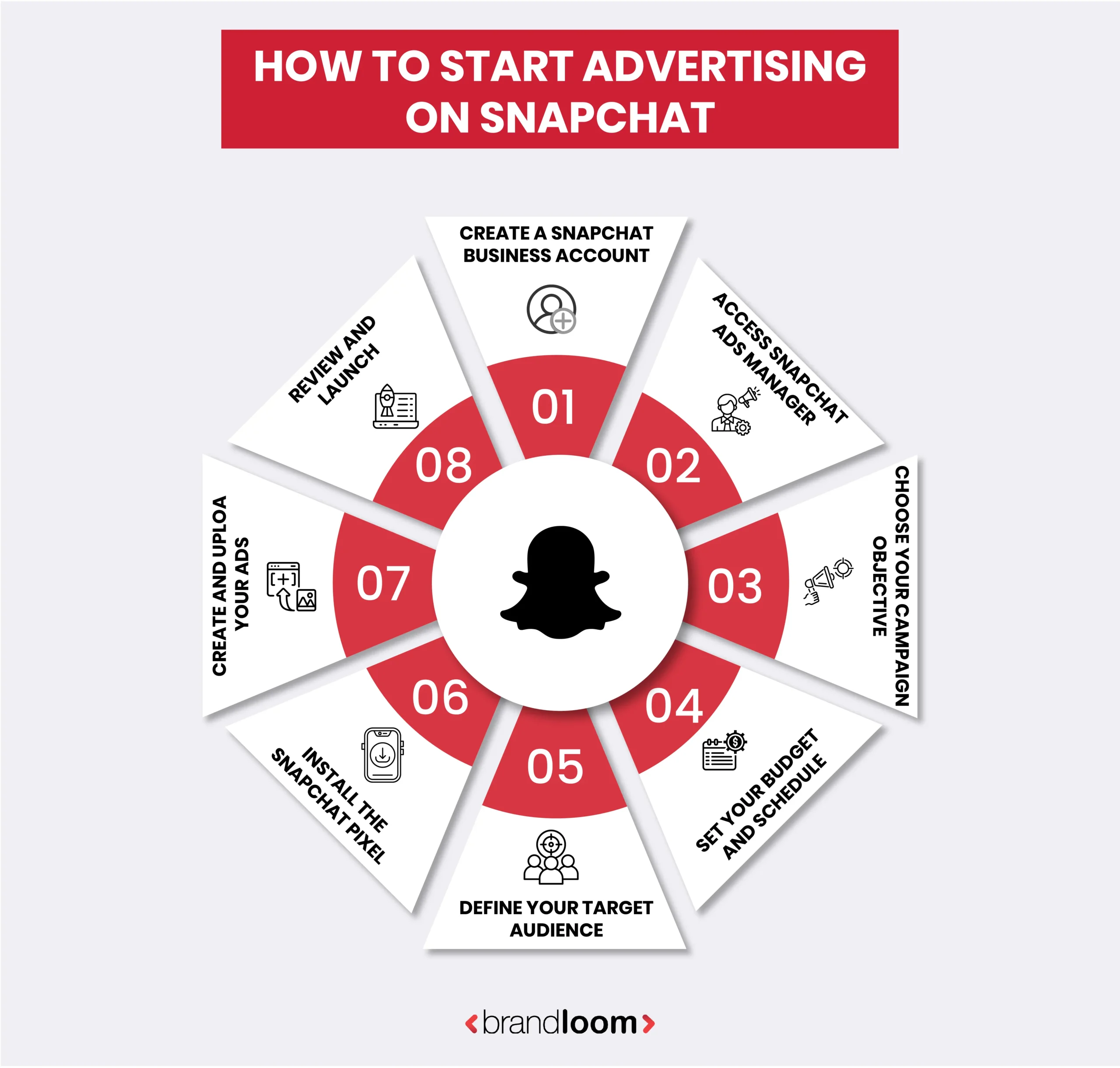
Step 2: Access Snapchat Ads Manager.
When you’re ready to get started, head into Ads Manager – this will be your dashboard for all things campaign-related, budgeting, audiences, uploads, and reporting. It’s relatively easy to navigate. Have a little playtime in here first to orient yourself.
Step 3: Choose Your Campaign Objective.
It is important to know that this stage is much more significant than many beginners believe. You will need to tell the system what to optimize. There are many options here, including Awareness, Traffic, App Installs, Leads, Conversions, and more. Choose the metric that fits your goal. In case you need website sales, select Conversions. For app installs, you would choose App Installs.
Step 4: Set Your Budget and Schedule.
The minimum Snapchat advertising budget is $5 per day, making it accessible for most small businesses. You can choose either a daily budget or a lifetime budget. The former budget works best for beginners because it gives one better control. Select your starting date and keep testing for about 7 to 10 days.
Step 5: Define Your Target Audience.
Snapchat ad targeting is one of its strongest features. You can target by age, gender, location, interests, and device type. You can also build Custom Audiences by uploading your email list and creating Lookalike Audiences based on your existing customers. For a beginner, start with a reasonably broad audience based on demographics and interests relevant to your product. Narrow it down as you learn what’s working.
Step 6: Install the Snapchat Pixel.
The Snapchat Pixel is a small piece of code you add to your website. It tracks what visitors do after clicking your ad. This data is critical for running retargeting campaigns and for the algorithm to optimize towards conversions. Install it before you spend money on ads. It’s free and takes about ten minutes to set up through Tag Manager.
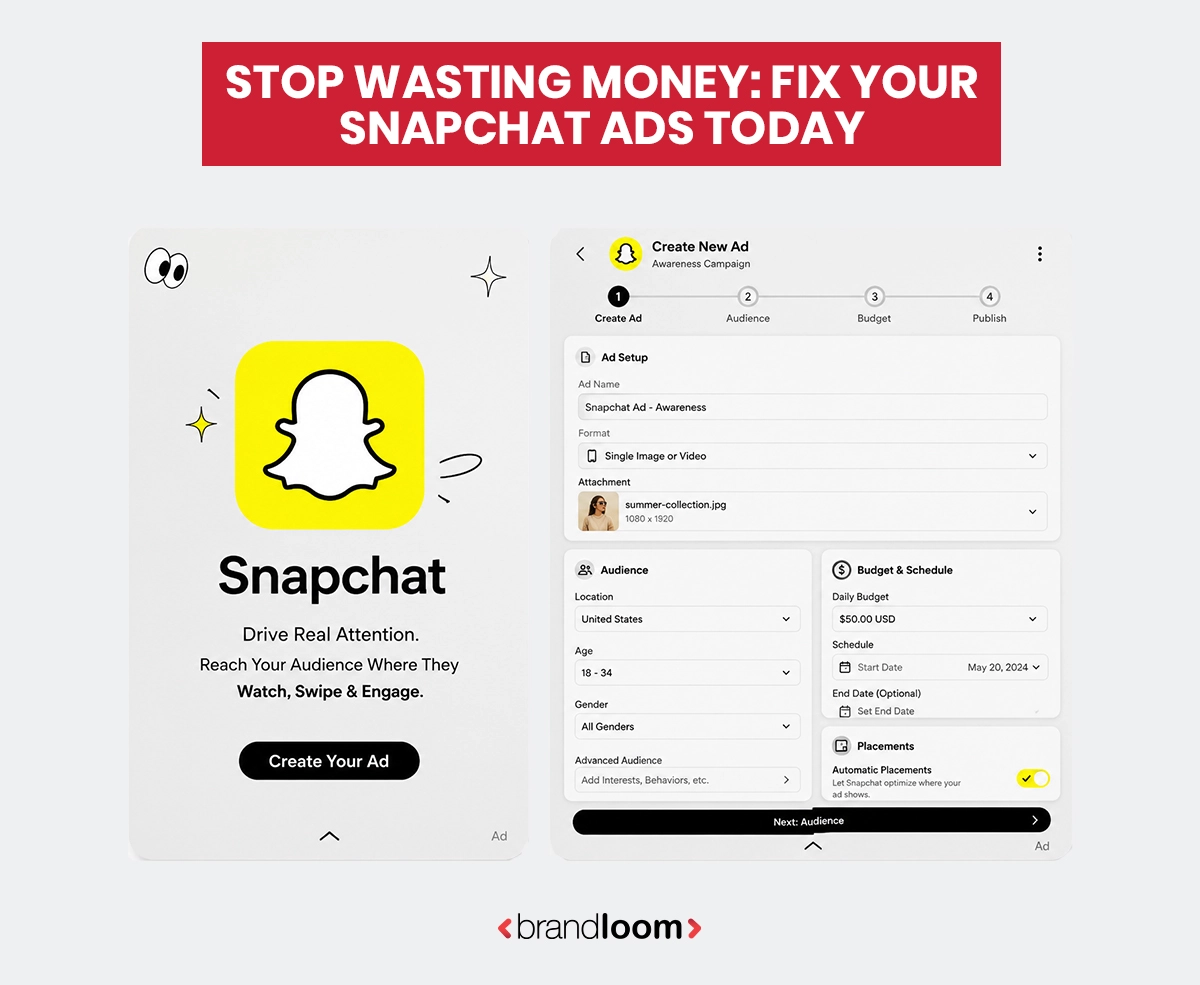
Step 7: Create and Upload Your Ads.
This is where your ad actually comes to life. Snapchat requires vertical video or images in a 9:16 ratio. The recommended resolution is 1080 x 1920 pixels. Keep text minimal in the creative itself since Snapchat’s interface is very visual. Add a clear call to action, such as “Shop Now” or “Learn More.” If you’re running a Collection Ad, you’ll also attach your product catalog here.
Step 8: Review and Launch.
Go through the review screen carefully. Check your objective, audience, budget, and creative one more time before hitting Publish. Snapchat usually reviews ads within a few hours. Once approved, your campaign goes live automatically.
Snapchat Advertising Cost: What’s Realistic
Let’s talk numbers because this is usually what holds people back.
The average CPM on Snapchat typically ranges from $3 to $8, which is considerably lower than on Instagram or TikTok in many categories. That makes it a relatively cost-effective option for building awareness, especially among younger audiences.
For Snap Ads, you can expect to pay anywhere from $0.10 to $0.50 per swipe-up depending on your targeting and creative quality. Collection Ads and Story Ads tend to cost a bit more but usually deliver better engagement for eCommerce.
The minimum spend is $5 per day, so you can start small and test before scaling. That said, spending ten to twenty dollars a day for at least a week gives the algorithm enough data to actually optimize properly. Going in with $50 total and expecting miracles is a common frustration that has more to do with expectations than with the platform itself.
A realistic monthly test budget for a small business would be somewhere between $300 and $800 to get meaningful data. Beyond that, it depends heavily on your industry, audience size, and creative quality.
Snapchat Ad Specifications
Following Snapchat’s recommended creative specifications helps ensure your ads display correctly across the platform.
Some of the most commonly used recommendations include:
| Requirement | Recommendation |
| Aspect Ratio | 9:16 Vertical |
| Resolution | 1080 × 1920 pixels |
| File Types | JPG, PNG, MP4, MOV |
| Video Orientation | Vertical |
| CTA | Shop Now, Learn More, Sign Up, Install |
Before launching a campaign, always review the latest specifications in Snapchat Ads Manager, as platform requirements may change over time.
Common Mistakes Beginners Make with Snapchat Ads
These come up repeatedly, and they’re all avoidable with a bit of awareness.
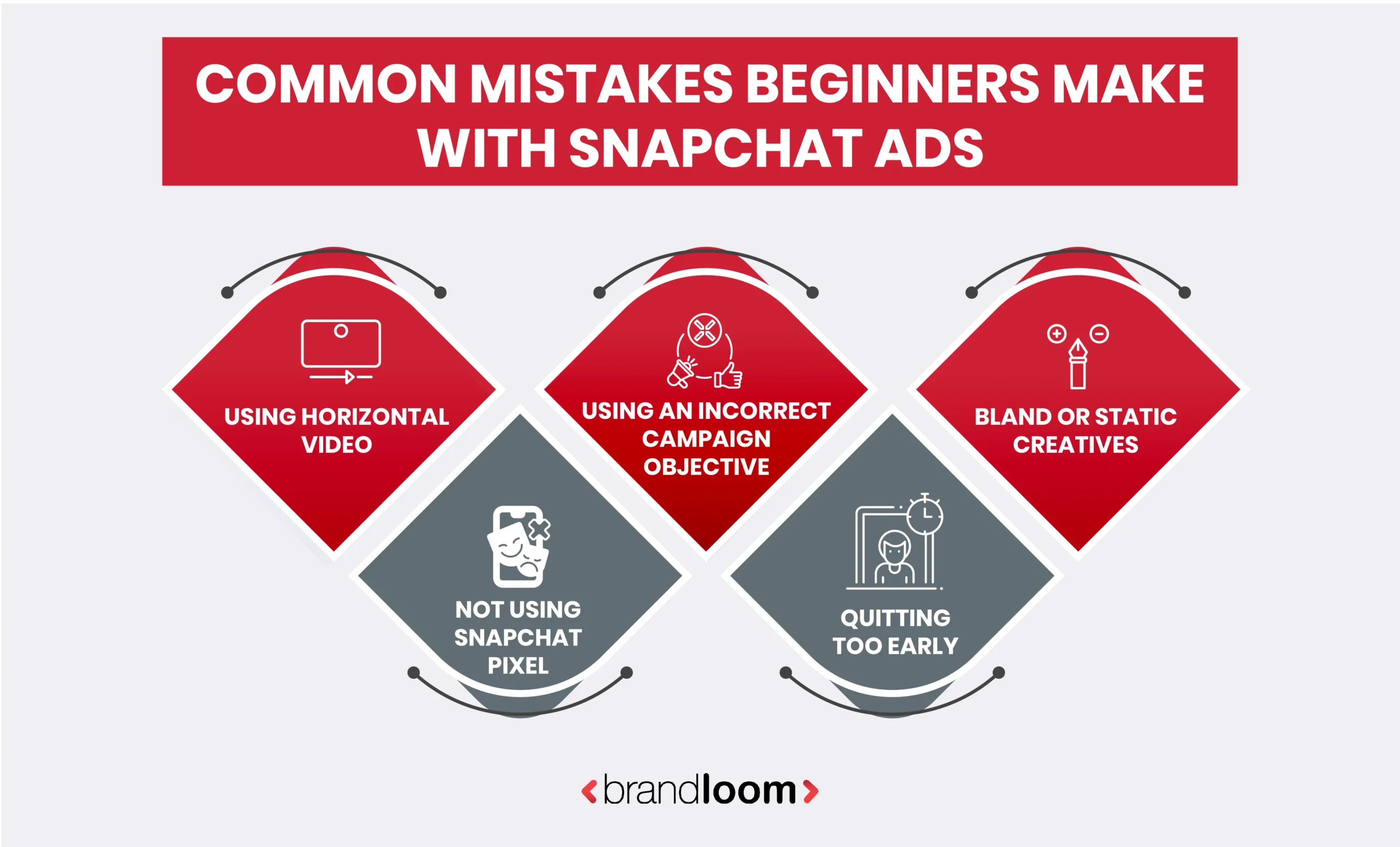
- Using horizontal video: Snapchat is a vertical platform, and horizontal creatives look awkward and out of place. Users swipe past them almost immediately. Always shoot and edit in 9:16.
- Not using Snapchat Pixel: Campaigns conducted without the Snapchat Pixel will not have any data to optimize against. Before running a campaign, install it.
- Using an incorrect campaign objective: Selecting the wrong objective at the outset will result in paying for ad placements that do not align with your marketing goals. The campaign objective will dictate how the algorithms perform.
- Quitting too early: To get out of the learning stage, Snapchat’s algorithm will require a few days and some impressions or conversions, depending on the chosen objective. Stopping the campaign or making changes too early will mean restarting this process.
- Bland or static creatives: While content that works well on other platforms will often feature a polished look and feel, ads that work well on Snapchat should appear more natural and even rough at times.
What Businesses Benefit Most from Snapchat Advertising
Snapchat advertising isn’t the right move for every business. But for the right ones, it can be quite powerful.
The businesses that tend to see the strongest returns include:
- e-commerce and D2C brands targeting Gen Z or younger millennials. The Collection Ad format is particularly effective for product discovery and direct purchase.
- App-based businesses. Snapchat’s App Install objective and swipe-up mechanics make it a solid channel for user acquisition campaigns.
- Entertainment, gaming, and lifestyle brands. These categories align naturally with Snapchat’s user culture.
- Local businesses. Location-based targeting is precise enough to run hyper-local campaigns for restaurants, gyms, salons, and events.
If your audience skews older or your product lacks visual appeal, Snapchat might not be your highest-priority channel. But if even a portion of your customers fall within the Gen Z to millennial range, it’s worth testing.
Should You Manage Snapchat Ads Yourself or Work with an Agency
This depends largely on your bandwidth and experience. The process can definitely be DIY when you’re first getting started and learning the system. It’s not terribly difficult, and you’re only paying for your mistakes.
But when you start looking to scale, the story changes. Audience segmentation, strategy behind creative testing, creating pixels and setting up events, managing bids across different ad groups… all of this takes time and effort.
And if it comes down to results versus learning, then consulting an expert in the area may be your best option.
Final Thoughts
Snapchat offers businesses a unique opportunity to connect with younger, highly engaged audiences through immersive full-screen advertising. Whether your goal is brand awareness, website traffic, app installs, or online sales, success depends on combining the right campaign objective, audience targeting, creative assets, and ongoing optimization.
If you’re new to Snapchat advertising, begin with a modest budget, monitor performance closely, and refine your campaigns based on real data. As your campaigns grow, working with an experienced digital marketing partner can help you scale more efficiently while making the most of your advertising investment.
If at some point you want experienced hands to manage the complexity while you focus on your core business, reaching out to a team like BrandLoom is a sensible next step. Either way, now you know enough to make an informed decision.
Frequently Asked Questions
Create a Snapchat Business Account at forbusiness.snapchat.com, then access Ads Manager at ads.snapchat.com. Choose your campaign objective, set your budget, define your audience, install the Snapchat Pixel, upload your creative, and launch. The full Snapchat ads setup can be done in an afternoon if you have your creative ready.
Yes, especially when targeting a young audience. The cost to advertise is only five dollars per day, which makes it quite affordable. The most important factors are having a good video format and a clear goal.
The average Snapchat CPM ranges from $3 to $8, which is generally lower than many competing platforms. For starters, the rate you need is about $5 daily. The recommended monthly test budget is between $300 and $800.
Snapchat Ads Manager is the platform for creating, managing, and monitoring Snapchat advertising campaigns. On this platform, you create campaigns, allocate budgets, define your target audience, upload your creative ads, and monitor campaign performance.
You don’t need it to run all ad types, but you definitely need it for conversion campaigns and retargeting. Without the Pixel, the algorithm can’t optimize for purchase events, and you lose the ability to retarget website visitors. If you need help with pixel setup and full campaign management, BrandLoom’s Snapchat advertising service covers technical implementation as part of their onboarding.
Snapchat offers several types of ads, including Snap Ads (static or dynamic images/videos), Story Ads, Collection Ads (for e-commerce), Dynamic Ads (catalog-based retargeting), and AR Lenses. For starters, Snap Ads and Collection Ads are ideal options.
Give it at least seven to fourteen days before concluding. The algorithm needs time to exit the learning phase and gather enough data to optimize properly. Judging a campaign after two days is usually not meaningful, especially on smaller budgets.
Absolutely, yes. Even more so if there is a Pixel in place and the objective is set to Conversions. Collection Ads are specifically designed for direct purchasing and are ideal for eCommerce companies with eye-catching products.
If you are just starting and are willing to put in some time into learning, you can go ahead on your own. However, if you wish to gain speed or scale up beyond a couple of hundred dollars per month, engaging the professionals would be sensible. BrandLoom can assist you with your Snapchat marketing campaigns
Snapchat’s ad algorithm casts a fairly wide net early on, especially while it’s still learning who responds to a campaign. If you’ve opened the app even occasionally, interacted with a Story, or fall into a broad demographic an advertiser is targeting, you’ll likely see their ads. It’s less about how often you use Snapchat and more about matching the audience criteria the advertiser set up.